Made for self-publishers on the Mac

Turn a finished manuscript into a publish-ready book.

Drop in your Word document. Stet checks it, fixes the typography, formats it to a professional standard, and exports the files KDP, IngramSpark, and Draft2Digital expect — all on your Mac.

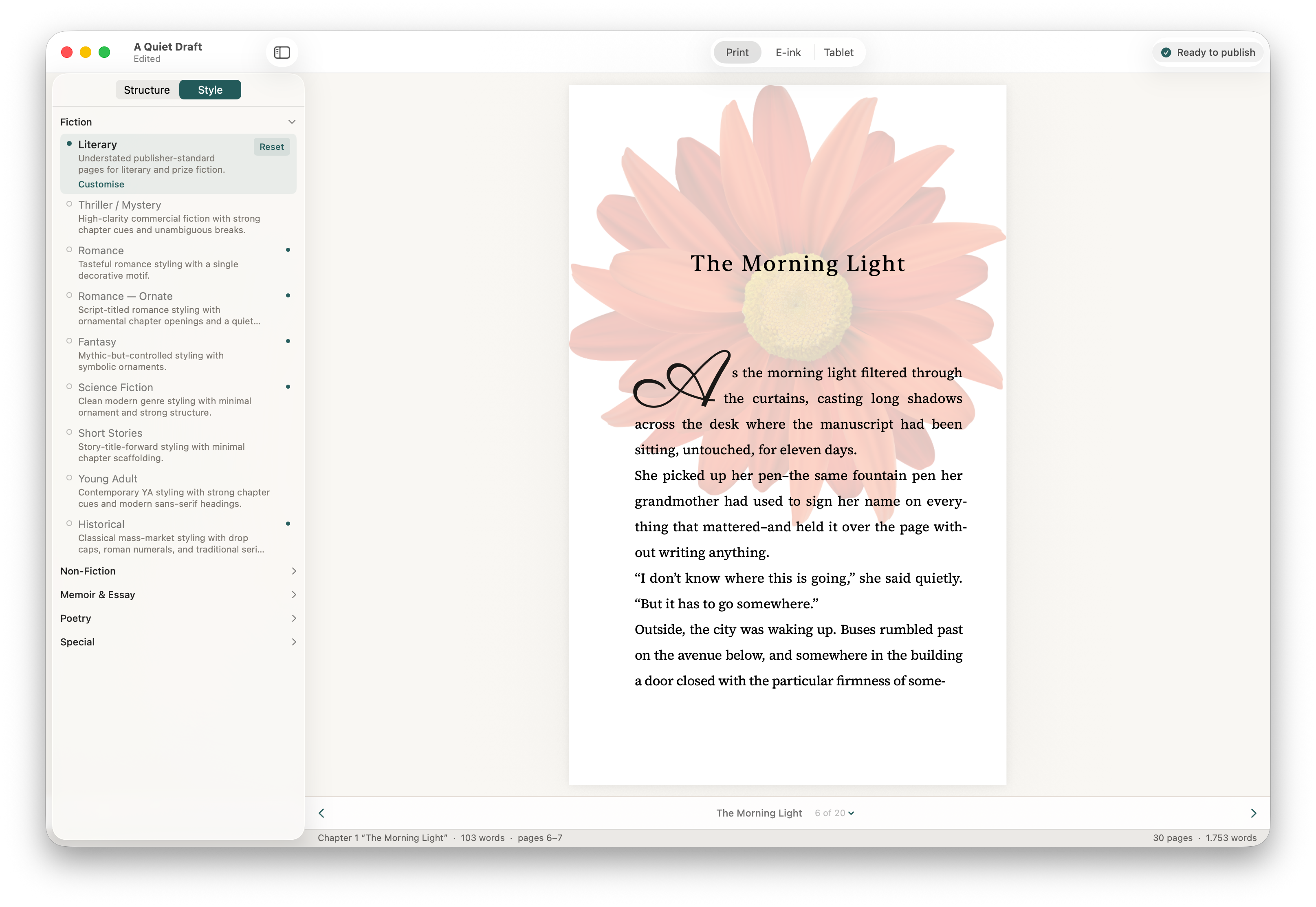
The Stet app showing a template sidebar with Literary selected among 19 templates, and a print preview of a chapter titled 'The Morning Light' with a full-page floral opener background and typeset body text.
Your book, beautifully formatted. Choose from 19 templates — Stet previews your manuscript in real time, exactly as it will appear in print.

Import

Start with the manuscript you already have.

Drag in your Word document and Stet builds a complete book project — chapters, front matter, back matter, and metadata all detected automatically. Scrivener users: compile to .docx first.

  • Imports .docx directly — no conversion needed
  • Automatically classifies chapters, front matter, and back matter
  • Your original manuscript is stored safely and never modified
Stet's Structure panel showing automatically classified front matter and chapters with the table of contents visible in the print preview.

New Book Quality Inspector

Catch the details that quietly mark a book as self-published.

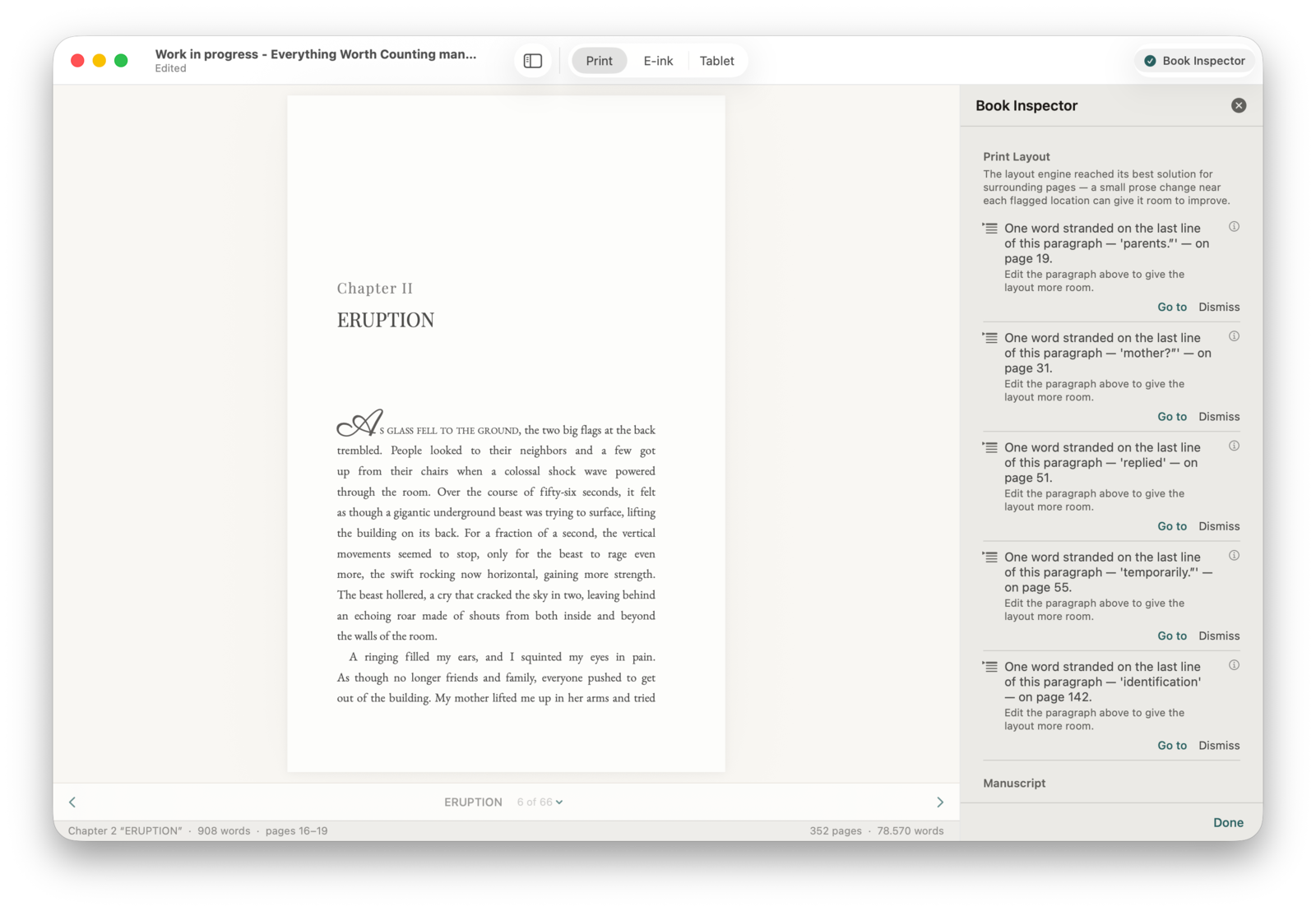
Short chapters with no scene break. Mismatched ornaments. Missing copyright. A broken ISBN. Widows and orphans, hyphen ladders, drop-cap collisions, runts at the bottom of the page. Stet's Book Quality Inspector flags them all in one panel — manuscript and layout, before you upload.

  • Manuscript checks and rendered-page layout checks in one place
  • Side-by-side diff for every automatic change
  • Smart quotes, em dashes, ellipses, and paragraph spacing applied on import
  • Every correction undoable with Command-Z
Stet's Book Quality Inspector flagging five runt lines across a 362-page manuscript — single words like 'parents', 'mother?', and 'identification' stranded on the last line of their paragraphs, each with its page number and a Go to / Dismiss action.

Style

Choose a look, then make it yours.

Pick a professional template that fits your genre, then customise every detail — chapter openers, scene breaks, fonts, and trim size — while the preview updates live.

  • 19 templates across Fiction, Non-Fiction, Memoir & Essay, Poetry, and Special
  • 19 trim sizes for paperback and hardcover, audited against KDP
  • Customise any template and reset to defaults in one click
  • 14 included open-licence fonts, or import your own
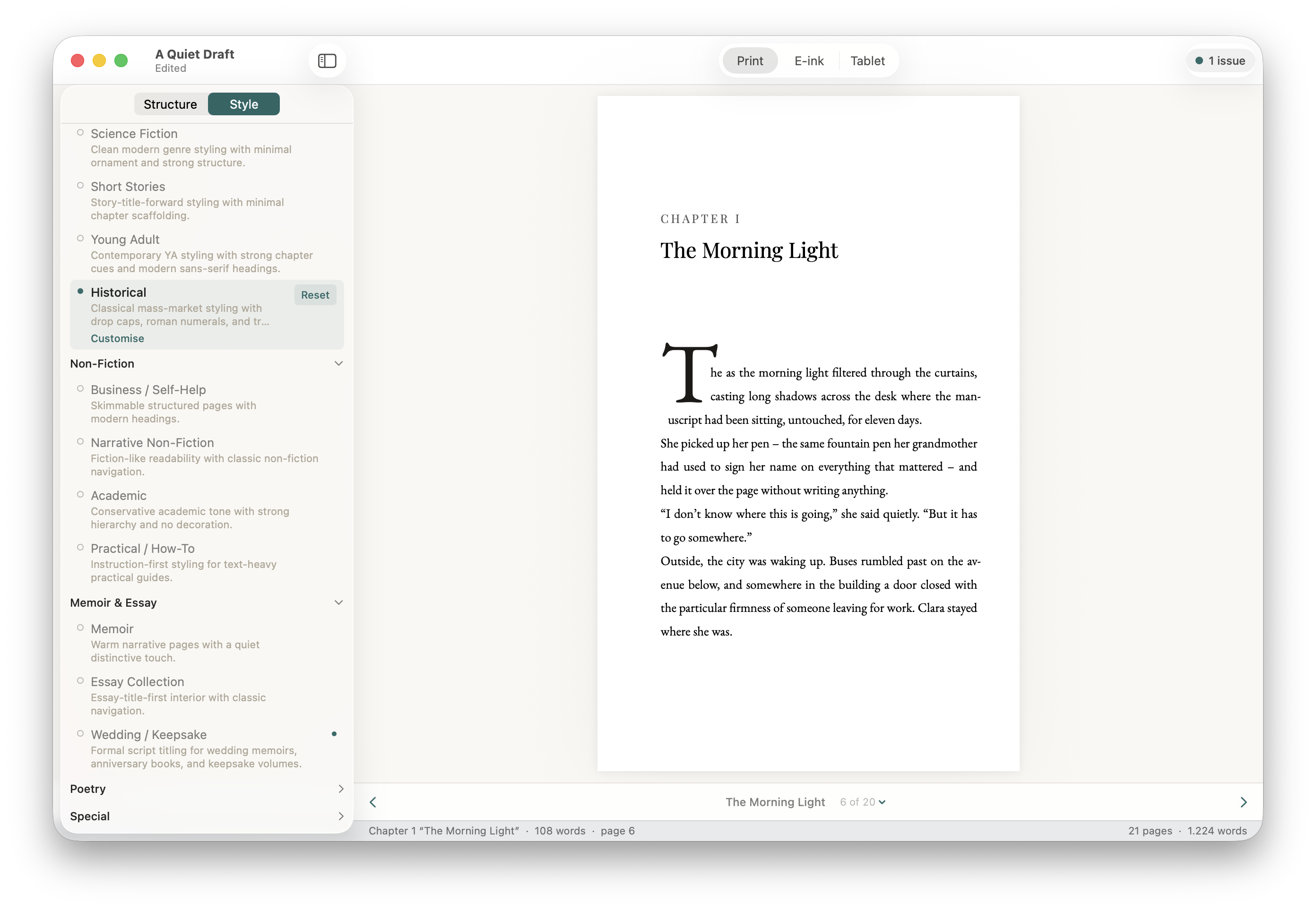
Stet's Style panel showing the full template list with Non-Fiction, Memoir & Essay and other groups, and the Historical template selected in preview.

Preview

See the same book across every output.

Switch between Print, E-ink, and Tablet previews as you work. Every template or trim size change shows up before you export — and you can double-click any page to edit text directly.

  • Print preview at your exact trim size, with real headers and page numbers
  • E-ink (Kindle / Kobo) and Tablet (iPad / Fire) ebook previews
  • Double-click any page to edit text without leaving the preview
  • Rich paragraph styles — body, verse, block quote, epigraph, and more
Stet showing the Print preview with a typeset chapter page — drop cap, chapter title, and justified body text — alongside the Style panel.

Export

Generate the files you actually need.

Stet produces every format from a single project. Fix a typo or change your template and re-export — everything stays in sync.

EPUB 3

Optimised for Kindle, Apple Books, Kobo, and generic distribution — or export all stores at once. EPUB 2 also available for older platforms.

Print PDF

Upload-ready interior files for KDP Print and IngramSpark. 19 trim sizes, automatic gutter margins, running headers, and embedded fonts.

Review Copy PDF

A screen-optimised PDF for advance readers, NetGalley, ARCs, and beta readers.

On the roadmap

What's coming next.

Stet is pre-1.0. These are the next big things we're building. Every roadmap feature is included in your licence at no extra charge.

Planned

Series consistency

Lock fonts, ornaments, and templates across every book in a series so reader-facing details never drift between volumes.

Planned

Editions and review copies

Manage ARCs, NetGalley copies, and revised editions from the same project — with watermarks and per-recipient PDFs.

“I knew how to write my novel. I had no idea how to make it look like a real published book. Stet had that done in minutes.”

Sarah Chen, author

Local-first, always

Your manuscript never leaves your Mac.

Stet runs entirely on your computer. We can't read your book even if we wanted to — and we don't want to.